Feature
Your Excel files come into Nizam, cleanly
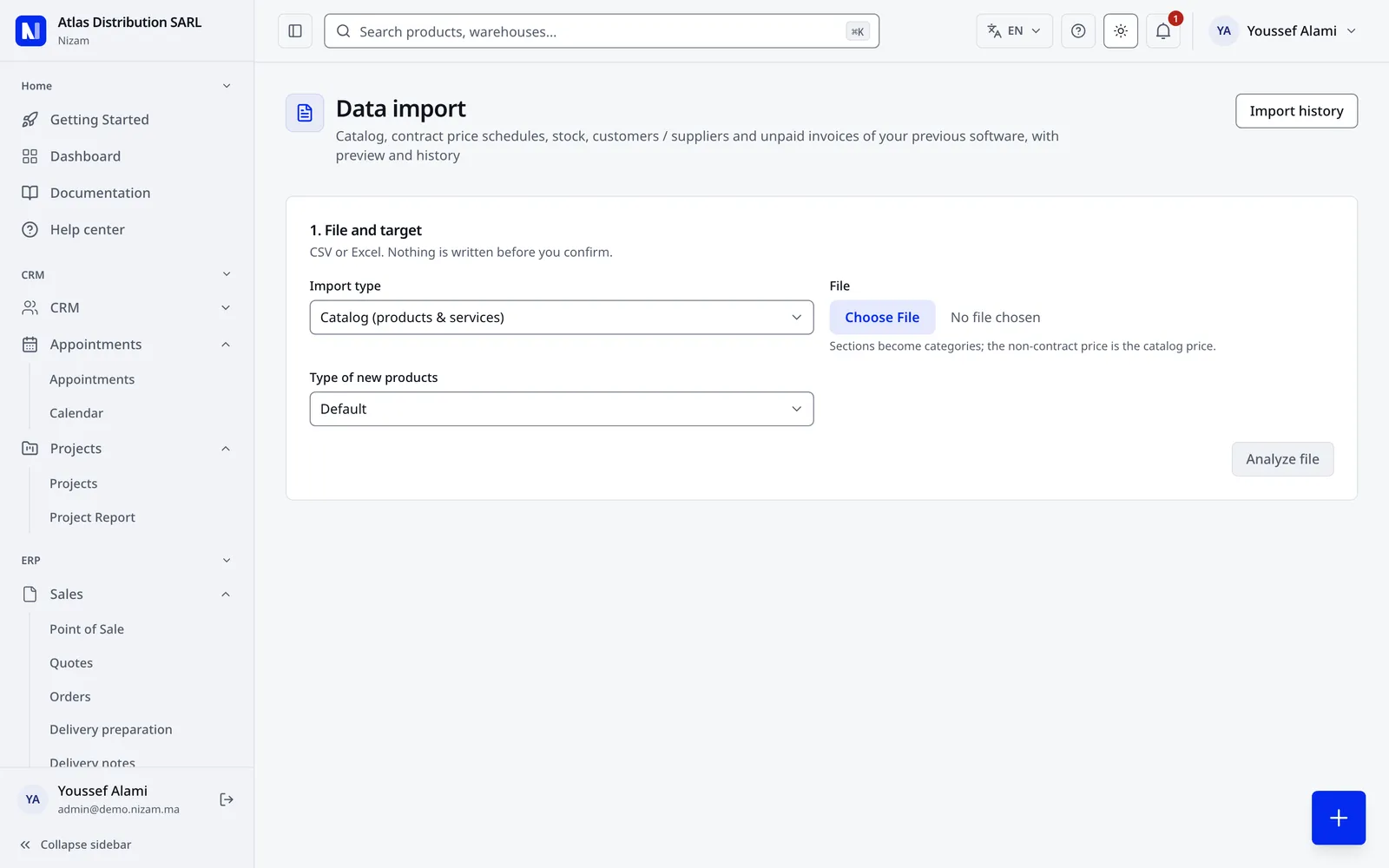
Catalogue, negotiated prices, stock, customers and suppliers, unpaid invoices from your previous software: import your Excel or CSV files, check the preview line by line, then commit.
Demo on request · Pricing on request · Guided setup
Starting from scratch is not an option
Years of data in Excel workbooks.
- A catalogue of thousands of references to retype by hand
- Customer price schedules received in Excel, each with its own layout
- The fear that a new import overwrites prices corrected by hand
An import in four steps
- 1
Choose the import type: catalogue, contract prices, stock, customers and suppliers, unpaid customer or supplier invoices
- 2
Drop your Excel (.xlsx, .xls) or CSV file and map its columns to Nizam’s fields
- 3
Check the preview: items created or updated, errors and warnings
- 4
Commit: the import is saved in one go and stays available in the history
Six imports to get started
Nizam imports the data that takes longest to retype: your catalogue, the prices negotiated with your customers, your stock quantities, your customers and suppliers, and what is still to collect or to pay in your previous software.
- Catalogue: reference, name, category, unit, sale price, cost and description
- Contract prices: a customer’s or project’s price schedule, with contract price and list price
- Stock: one quantity column per warehouse; each difference becomes an adjustment in the movement history
- Customers and suppliers: company name, ICE, IF, RC, address, phone, e-mail, payment terms; a contact already in Nizam (same ICE, else same name and phone) is skipped or completed, as you choose
- Unpaid customer and supplier invoices (carried over): number, date, due date, amount incl. VAT and amount already paid; receivables and payables pick up where your previous software left off
Nothing is written until you commit
The preview shows, for each line, whether the item will be created or updated, and flags lines with errors (a missing required field, for example) and warnings.
A file that was already imported is recognised and flagged. On a new import, your manual price and name changes are kept.
CSV export of your lists
The main lists (customers, contacts, suppliers, products, quotes, invoices, purchases) export to CSV, ready to open in Excel. The export covers the page of the list on screen.
In French and Arabic the separator is a semicolon, as Excel set to French expects, so the columns open correctly.
Assisted setup
A small business can issue its first quote the same day. For an SME with a catalogue, several warehouses and negotiated prices, plan for an assisted setup of one to three weeks, data import and training included.
Price schedules from Moroccan public contracts and tenders import as contract prices, linked to the customer or project concerned.
Pricing
On request: our pricing depends on your modules, number of users and the support you need.
Frequently asked questions
What data can I import into Nizam from Excel?
Nizam imports six kinds of Excel or CSV files: the product catalogue, contract prices (a customer’s or project’s price schedule), stock quantities per warehouse, customers and suppliers, and the unpaid customer and supplier invoices of your previous software. Every import goes through a preview you commit and stays available in the import history.
What happens if my file contains errors?
Nothing is saved until you commit. The preview flags lines with errors and warnings; you fix the file and drop it again, or you commit the valid lines.
Does a new import overwrite prices changed by hand?
No. A new import updates prices and names that came from a previous import, but keeps the ones you changed by hand in Nizam. A file that was already imported is also recognised and flagged.
Can I export my data from Nizam to Excel?
Yes, as CSV. The main lists (customers, products, quotes, invoices, purchases…) have an export button that downloads the page on screen, with a semicolon separator in French and Arabic so it opens directly in Excel.
Does Nizam help me move from Excel to business software?
Yes. For an SME with a catalogue, several warehouses and negotiated prices, setup is assisted over one to three weeks, data import and training included. A small business can start on its own the same day.
Import your catalogue from day one
Drop your Excel file, check the preview and issue your first quote.