Event agencies, equipment rental, staging
Price a tender in hours, not days
Import your client’s price schedule, apply their framework contract, rename items to match their specifications, group everything by project, and track equipment preparation and delivery.
Demo on request · Pricing on request · Guided setup
What slows an agency down today
- Quotes built from multi-tab Excel files
- Discounts negotiated per account forgotten from one quote to the next
- The client requires their own item labels, those of the tender
- An event’s margin is known too late
- Gaps between the equipment quoted and the equipment shipped
- Late invoices because delivery proofs are scattered
From tender to invoice
- 1
Import the client’s price schedule (Excel)
- 2
Create the project: its prices and labels apply to the quote
- 3
Get the quote approved, then convert it to an order
- 4
Prepare the equipment and deliver it from your warehouses
- 5
Invoice what was delivered and track the project margin
Good to know
Quantities are whole numbers today. For half-day services, create a “half-day” unit.
Every price-schedule import is logged: a file already imported is detected, and your manual price or label changes are kept on the next import.
Features agencies use
Framework contracts and price schedules
Prices per client or project with validity dates; schedules imported from Excel with import history.Projects
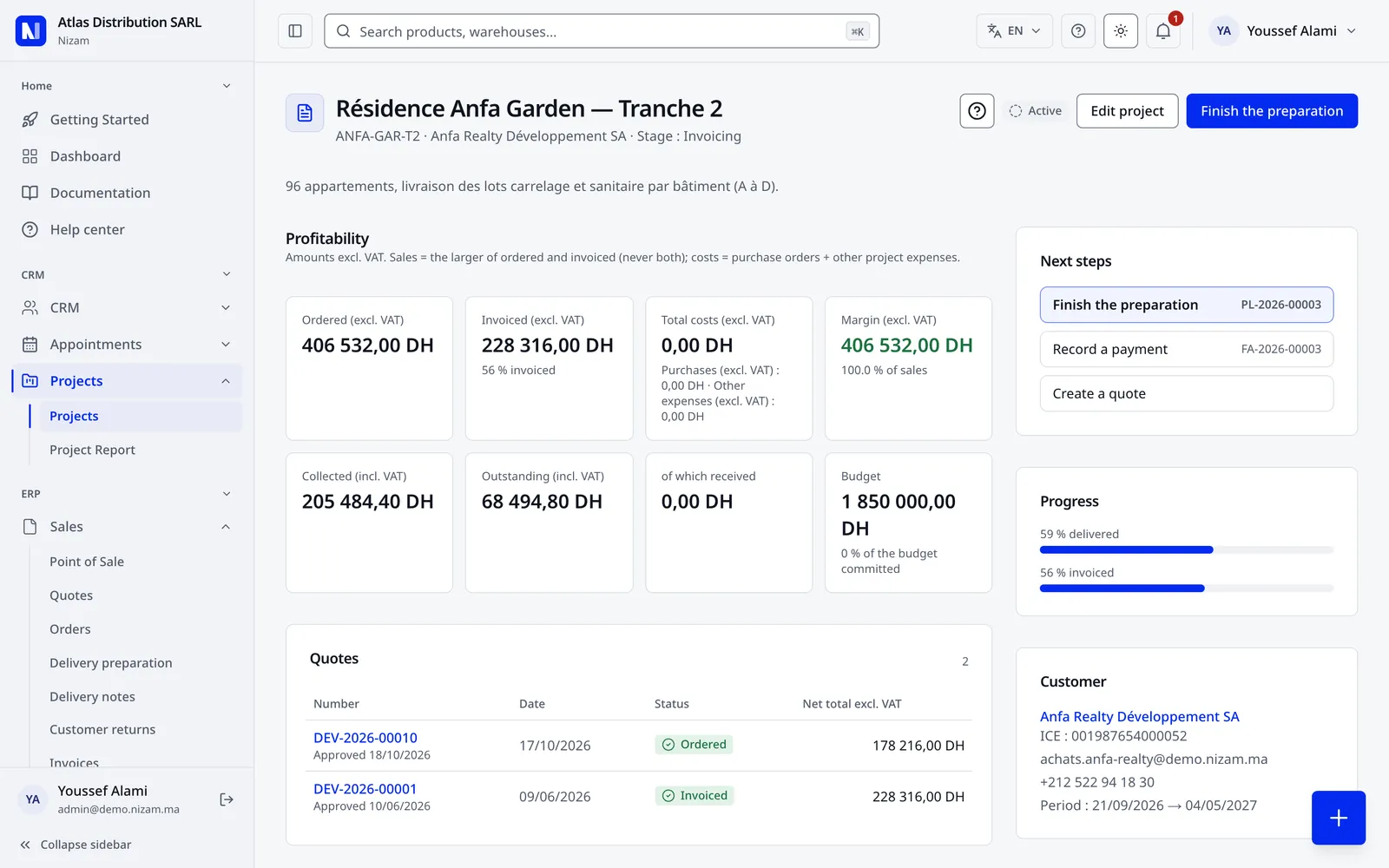
Quotes, orders, deliveries and invoices grouped per operation, with their own prices and labels and margin tracking.Equipment delivery notes
Preparation then delivery from one or more warehouses, in several delivery notes if needed.Internal quote approvalOn activation
A manager approves the quote before it is sent; every revision is logged.Technician jobsOn activation
Technicians see the job, the site and the items, without the prices.Multi-warehouse stock
Know which equipment is available, reserved or out, in every warehouse.
Pricing
On request: our pricing depends on your modules, number of users and the support you need.
Frequently asked questions
How do I manage framework contracts and negotiated prices per customer?
Nizam stores your framework contracts as price rules per customer, project, category or product, with validity dates, as a fixed price or a percentage. On every new quote, the right price applies automatically in order of priority. An authorised manual change is still possible, and it is logged.
Can I group quotes and invoices by project?
Yes. A project groups the quotes, orders, deliveries and invoices of one operation, with its own prices and custom labels. It suits event agencies, installers and contracts with a single client. You follow the committed amount and the project margin.
Can I rename items to match the customer’s specifications?
Yes. Nizam lets you replace an item’s label for a given customer or project, for example to reuse the exact wording of a tender. The custom label appears on the quote and the following documents, without changing your catalogue.
Can I import my Excel data into Nizam?
Yes. Nizam imports six kinds of Excel or CSV files: your product catalogue, your contract prices (including your customers’ price schedules, bordereaux de prix), your stock quantities per warehouse, your customers and suppliers, and the unpaid customer and supplier invoices of your previous software. Every import goes through a preview you confirm and is logged, a file already imported is detected, and your manual price or label changes are kept when you import again. A customer or supplier already in Nizam (same ICE, else same name and phone) is skipped or completed, as you choose.
How long does it take to get started?
A small company can issue its first quote the same day: Moroccan VAT and numbering are preconfigured. For an SME with a catalogue, several warehouses and negotiated prices, plan a guided setup of one to three weeks, including data import and training.
See Nizam with your next tender’s price schedule
Import it into Nizam during the demo and prepare your quote. An advisor helps you import your data.