Feature
Count accurately, value at the right cost
Physical counts, a cost price updated on every receipt and the value of your stock at any date: figures you can explain, movement by movement.
Demo on request · Pricing on request · Guided setup
When stock counts happen on paper
Count sheets, Excel and manual corrections.
- Count variances are fixed by hand, with no record of who changed what
- Purchase cost leaves out transport, handling and customs duties
- Nobody can say what the stock was worth at year end
- Boxes bought and pieces sold never reconcile
Physical counts with dual confirmation
You open a stock count and enter the counted quantities, item by item and warehouse by warehouse. For each count, Nizam records the expected stock at that moment, so sales and receipts that continue during the count do not distort the variance.
If you choose, every item must be counted twice and both counts must match before closing. On close, variances are posted to stock as adjustments, exactly once, and stay visible in the movement history.
- Expected stock recorded at the time of each count
- Dual confirmation of counts (optional, per stock count)
- Variances posted to stock on close, never twice
- Product lookup by barcode, scanned with the camera from the browser
Cost price on every receipt
When you receive a purchase order, even partially, stock goes up and the weighted average cost of each item is recalculated.
Landed costs entered on the order (customs duties, handling, transport) are spread over the lines in proportion to their value and included in the cost price.
- Buy by the box or by the piece: the number of pieces per box is set on each purchase order line
- Stock and cost always tracked per piece
- Weighted average cost updated on every receipt
Packs and kits
A pack is made of several items. When you deliver a pack, Nizam takes each of its components out of stock, in the warehouse of the line.
Stock valuation and movement ledger
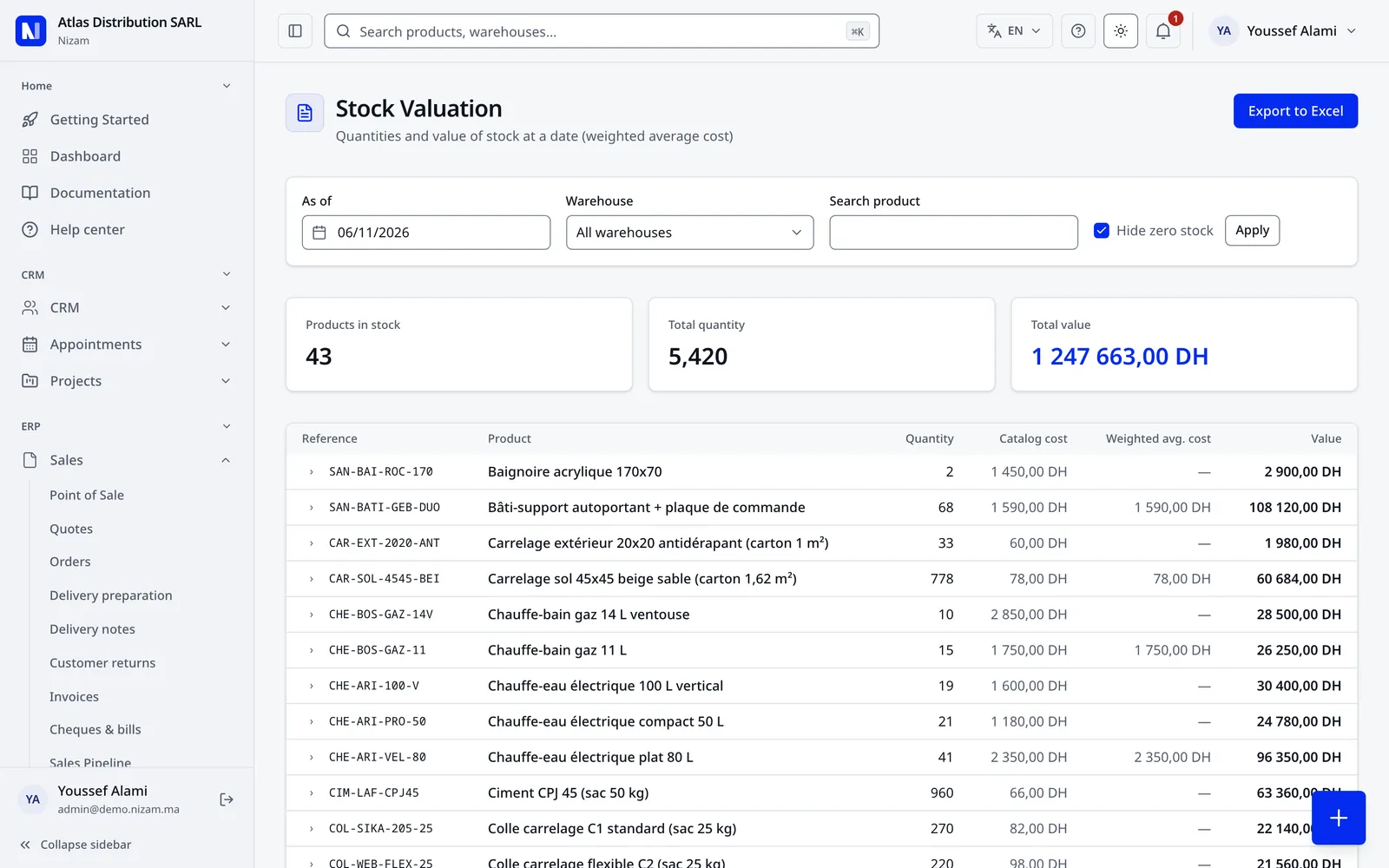
The valuation report gives the quantity and value of stock at the chosen date, at weighted average cost, per item and per warehouse. Useful for a year-end closing or a discussion with your accountant.
Every receipt, issue, transfer and adjustment is written to the movement ledger, per item and per warehouse. Stock reserved by confirmed orders is tracked warehouse by warehouse: the multi-warehouse stock page covers transfers and reservations.
Built for Moroccan importers and distributors
Customs clearance and transport costs for a container flow into the cost price of each item, and every value is shown in dirhams in the Moroccan format (1 234,50 DH).
Weighted average cost is one of the stock valuation methods accepted by the Moroccan chart of accounts (CGNC); confirm the method you use with your accountant.
Useful links
- Multi-warehouse stock and reservations
- Supplier purchasing and receipts
- Manufacturing: recipes and product cost
- Import your stock from Excel
- Inventory management software in Morocco
- Year-end stocktake
- Weighted average or FIFO stock valuation (in French)
- Landed purchase cost (in French)
- Margin and selling price calculator
Pricing
On request: our pricing depends on your modules, number of users and the support you need.
Frequently asked questions
How do I run a physical stock count in Nizam?
You open a stock count, enter the counted quantities per item and per warehouse, then close it. Nizam compares each count with the expected stock recorded at the time of the count and posts the variances as stock adjustments on close, with a record in the movement history.
Does Nizam calculate weighted average cost?
Yes. The weighted average cost of each item is recalculated on every supplier receipt, including landed costs (customs, handling, transport, spread in proportion to line value). The valuation report uses this average cost to give the value of stock at a date.
Can I buy by the box and sell by the piece?
Yes. On each purchase order line you set the number of pieces per box. On receipt, each box enters stock as that number of pieces, and the cost price is calculated per piece.
How do I find the value of my stock at a given date?
The stock valuation report gives, for the chosen date, the quantity and value of each item at weighted average cost, per warehouse and in total. Amounts are in dirhams.
Can I scan barcodes with Nizam?
Yes, from the browser: the camera of your computer, tablet or phone reads the barcode and Nizam finds the product. There is no mobile app to install. The online till (on activation) also reads barcodes, with a scanner or the camera.
Run your next stock count in Nizam
Import your items and stock, then count, close and value, warehouse by warehouse.