Lightweight ERP for Moroccan SMEs
A lightweight ERP for Moroccan SMEs, no integrator
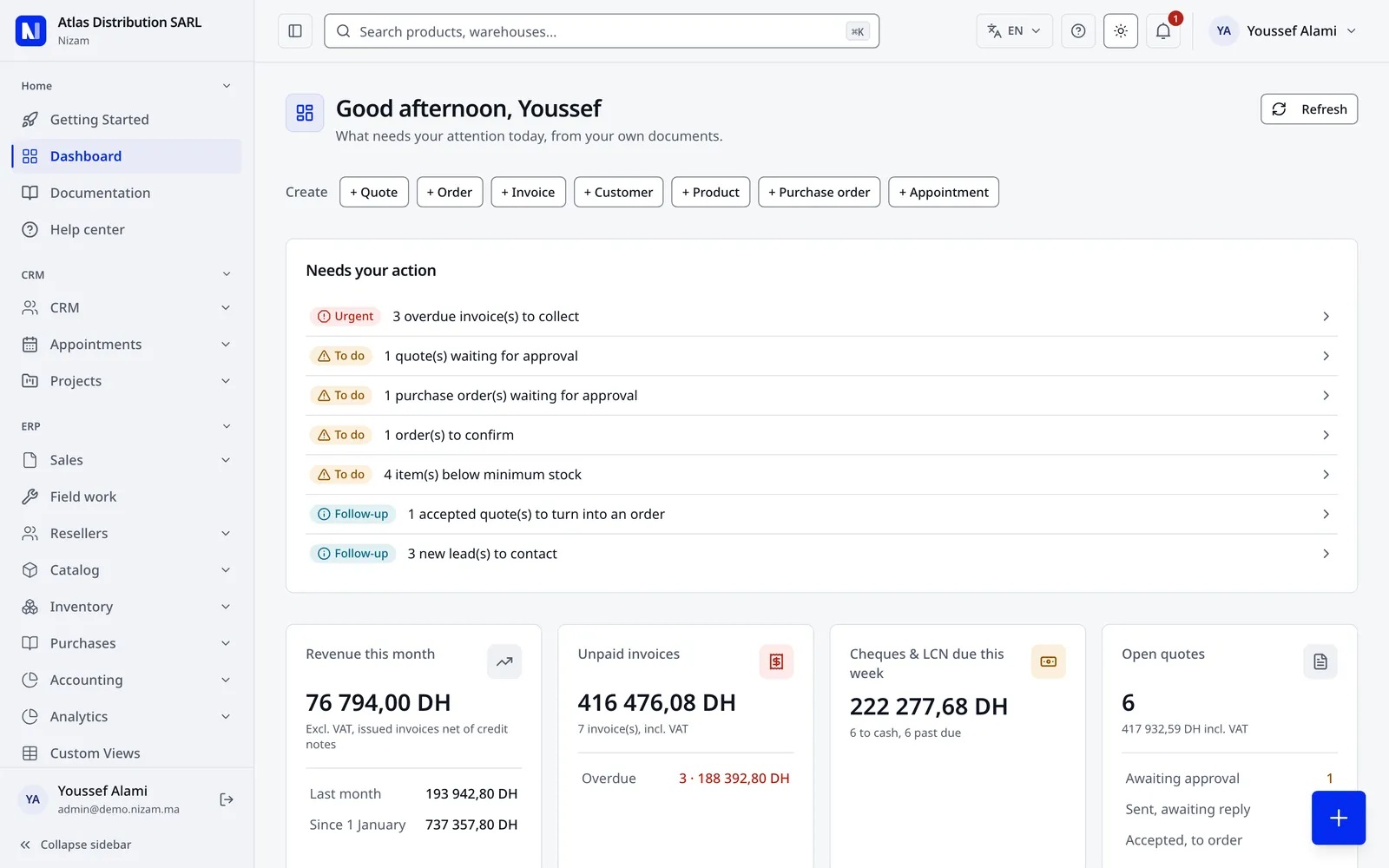
Sales, purchasing, multi-warehouse stock, CRM and projects in one cloud software, already set up for Morocco: Moroccan VAT, legal mentions and numbering ready from day one.
Demo on request · Pricing on request · Guided setup
Why SMEs hesitate about ERP
Sales here, stock there, customers somewhere else: with tools that don’t talk to each other, everything ends up going through the manager.
- A long, costly integration project before the first invoice
- Moroccan settings (VAT, ICE, numbering) to configure yourself
- Modules the team doesn’t need and never uses
- Programs and files that don’t talk to each other, and days spent consolidating the numbers
- A manager who has become the bottleneck: every price, every stock level, every reminder goes through them
Start without an integration project
- 1
Create your account: Moroccan VAT and numbering are preconfigured
- 2
Enter your legal identifiers and warehouses
- 3
Import catalogue, contract prices and stock (Excel)
- 4
Invite your team with one role per person
- 5
Issue your first quotes, delivery notes and invoices
Delegate without losing control
Each team member gets a role: salespeople quote at the customer’s prices, the warehouse prepares and delivers, the accountant views invoices and payments. The manager keeps the overall view and the history of actions.
Specialised modules (reseller network, technician jobs, quote approval) are switched on only if your business needs them: the team only sees what it uses.
ERP modules
Sales
Linked quotes, orders, delivery notes and invoices, with partial deliveries and invoicing.Purchasing
Supplier purchase orders, optional approval and partial receipts.Multi-warehouse stock
Movements traced per warehouse, reservations, low-stock alerts.CRM
Leads, opportunities and pipeline linked to quotes.Projects
Quotes, orders, deliveries and invoices grouped by project, with margin tracking.Roles and security
Role-based access, audit log, data isolated per company.
Full ERP or lightweight ERP?
Compare Nizam with the options Moroccan SMEs consider most often.
Pricing
On request: our pricing depends on your modules, number of users and the support you need.
Frequently asked questions
Is Nizam an ERP?
Nizam is sales-management software that covers a large part of an SME ERP: sales, purchasing, multi-warehouse stock, CRM, projects and accounting on the Moroccan chart of accounts (CGNC). Payroll, an online till and manufacturing can be added on activation. You can describe it as a lightweight ERP, ready to use for Moroccan SMEs.
Will my team actually use Nizam?
Yes, if each person only sees their own work. The interface is in French, Arabic or English, chosen by each user. Role-based permissions limit what each team member sees: salespeople make quotes, the warehouse prepares and delivers, technicians see their job without prices (on activation). Team training is part of the guided setup.
What is the difference between Nizam and Odoo?
Odoo is a very broad ERP, often set up by an integrator and billed per user. Nizam is management software already configured for Morocco (VAT, ICE, numbering, framework contracts, partial deliveries) that an SME can start on its own; an online till, manufacturing and payroll can be added on activation. Choose Odoo for a very wide scope with an integrator; Nizam for a flow that is quick to deploy.
What is the difference between Nizam and Sage?
Sage 50 and Sage 100 are mainly installed PC software, priced on quote, with very complete accounting. Nizam is online, multi-user and multi-warehouse, priced in dirhams, and focused on sales management and stock. The two can coexist: sales in Nizam, accounting in Sage.
Does Nizam handle payroll and CNSS?
Payroll, yes, with the Payroll module (on activation): payslips, payroll ledger, transfers and journal entries, with rules shown « to be validated by your accountant ». Nizam does not file CNSS returns (Damancom): it prepares data files (format to be confirmed) that your accountant checks before any filing. If your firm runs payroll, Nizam sends it the month’s variable inputs (hours, bonuses, absences).
Does Nizam include a cash register (POS)?
Yes, an online till, on activation. On a tablet or PC, it prints an 80 mm receipt, takes cash, card (your payment terminal stays separate) or mixed payments, handles returns and produces an X report and a numbered Z report. Each sale leaves the stock and shows in your invoices and VAT. The till needs an internet connection.
Discover an ERP ready for Morocco
Book a demo: an advisor shows you Nizam and helps you import your data.