HVAC, electrical, security, signage, IT integrators
From quote to site, then to invoice
Price each job inside a project, buy what is missing straight from the order, send technicians without showing them prices, then invoice what was delivered and installed.
Demo on request · Pricing on request · Guided setup
What costs money on a job
Notebooks, sticky notes and WhatsApp messages: on a job, information gets lost between the office, the warehouse and the crew.
- Quotes rebuilt by hand for every customer and site
- Equipment ordered twice, or forgotten
- Technicians leaving without the right item list
- A job’s margin discovered after the invoice
- Invoices that don’t reflect what was delivered
- The customer waits because nobody knows whether the equipment is in stock
How a job flows through Nizam
- 1
Create the customer project and the quote
- 2
The accepted quote becomes an order
- 3
Order from suppliers straight from the customer order
- 4
Schedule technicians and deliver the equipment
- 5
Invoice, collect and track the project margin
Labour and equipment on the same quote
Services, travel and equipment sit on the same quote, each with its own VAT rate. No more calculating by hand between installation hours and supplied items.
The invoice picks up what was delivered and installed, and the project keeps the full job history for the next maintenance contract.
Features installers use
Projects
A job’s quotes, orders, deliveries and invoices in one place, with margin tracking.Purchasing linked to orders
Supplier purchase orders created from the sale, partial receipts, stock updated on receipt.Technician jobsOn activation
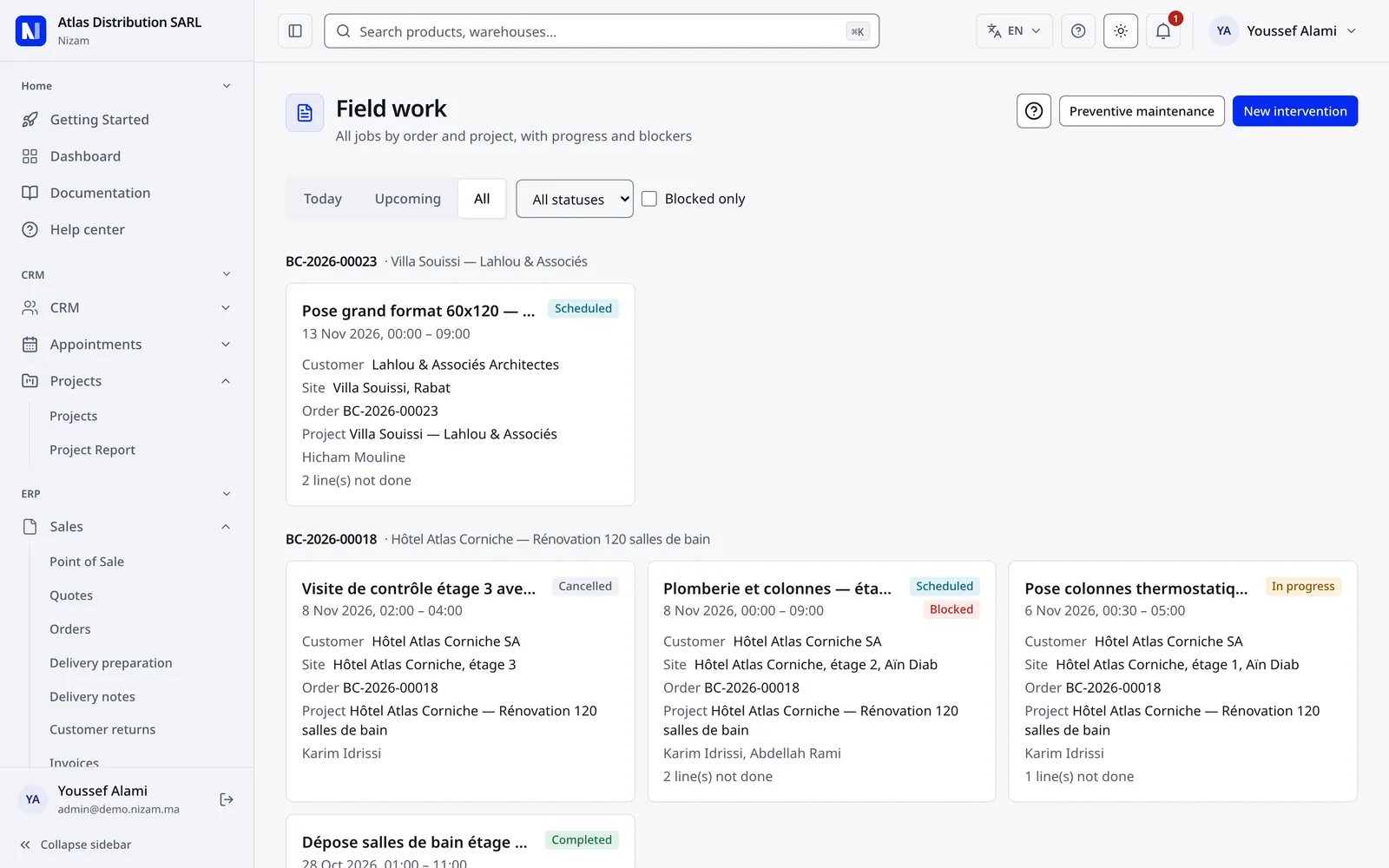
Schedule technicians on each order; they see the job, the site and the items, without prices.Quotes and internal approval
Quotes at customer prices, per-line discounts, optional manager approval before sending.Sell before you buyOn activation
Confirm the order without stock; Nizam calculates the matching purchasing need.Invoicing
Gap-free numbered invoices with ICE, IF, RC and taxe professionnelle, VAT by rate, partial payments.
Pricing
On request: our pricing depends on your modules, number of users and the support you need.
Frequently asked questions
Can I group quotes and invoices by project?
Yes. A project groups the quotes, orders, deliveries and invoices of one operation, with its own prices and custom labels. It suits event agencies, installers and contracts with a single client. You follow the committed amount and the project margin.
How do supplier purchases and receipts work?
You create a supplier purchase order, optionally subject to approval, then record one or several receipts. Each receipt updates the stock of the chosen warehouse, flags differences and refuses an unauthorised over-receipt. The order moves automatically to “partially received” or “received”.
Can quotes be approved before they are sent?
Yes, as an option. When internal approval is switched on, a manager must approve a quote before it is sent to the customer. Any change to an approved quote sends it back to draft with a new revision number, and every step is recorded in the history.
How long does it take to get started?
A small company can issue its first quote the same day: Moroccan VAT and numbering are preconfigured. For an SME with a catalogue, several warehouses and negotiated prices, plan a guided setup of one to three weeks, including data import and training.
Prepare your next job in Nizam
Create a project, a quote and a supplier order from day one. An advisor helps you get started.