Distributors, wholesalers and traders
What is sold, delivered and invoiced, finally in agreement
Your sales reps quote at the right customer prices, the warehouse prepares and delivers from the right depot, the invoice follows the delivery note, and stock updates with every movement.
Demo on request · Pricing on request · Guided setup
What costs distributors money today
Price lists in Excel, orders received on WhatsApp, stock tracked from memory: the bigger the team, the more the gaps cost.
- Excel price lists that differ from one salesperson to another
- Delivery notes and invoices that don’t match
- Stock figures that don’t reflect the warehouses
- Nobody knows what to reorder, or when
- Disputes over prices negotiated with key accounts
- Your accountant gets a pile of invoices at month end
- A stock-out discovered while the customer waits on the phone
How an order flows through Nizam
- 1
The salesperson quotes: the customer’s contract price applies
- 2
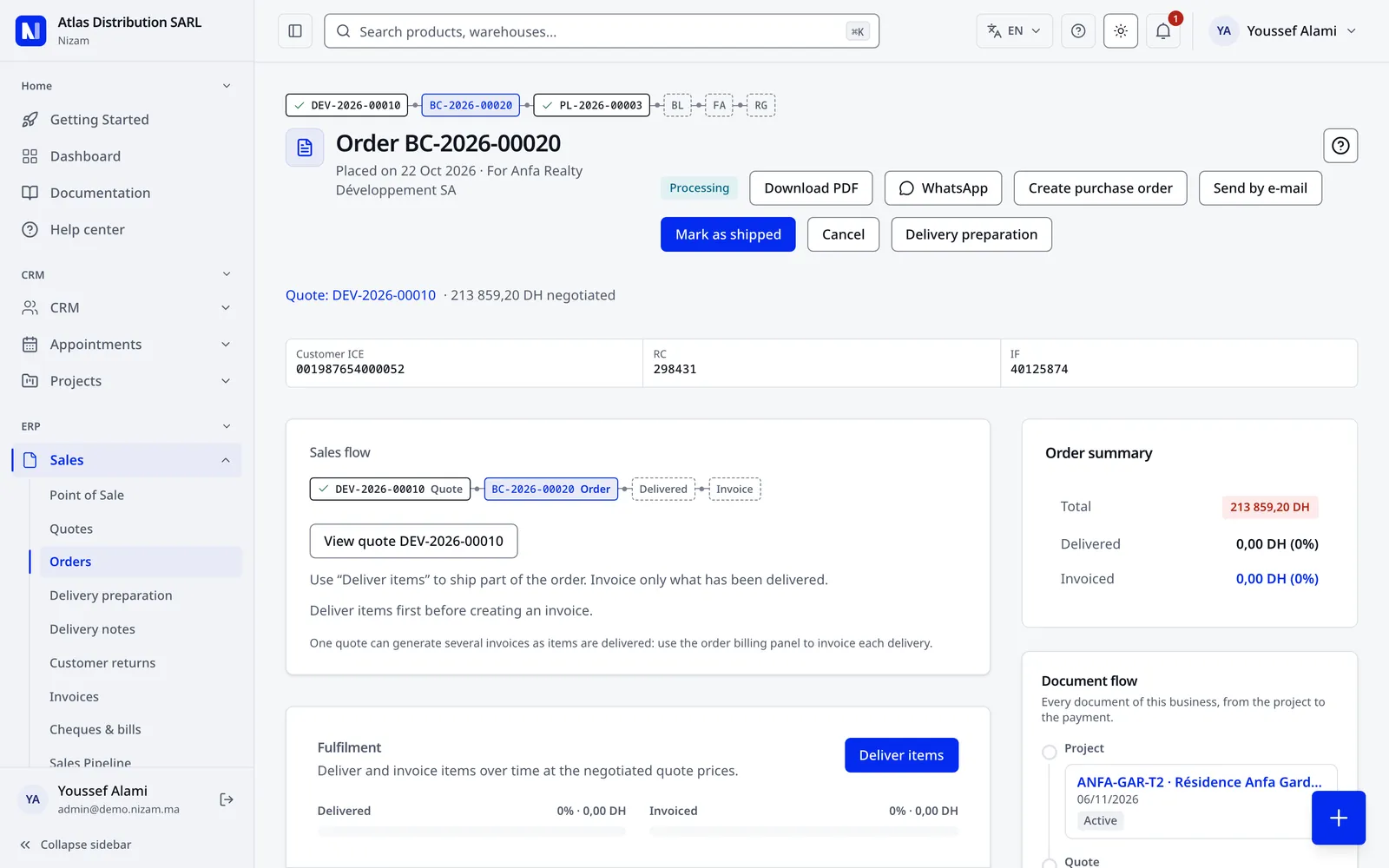
The accepted quote becomes a sales order; stock is reserved
- 3
The warehouse prepares and delivers from the chosen depot, in one or more delivery notes
- 4
The invoice takes exactly the quantities delivered
- 5
The payment is recorded and the balance due tracked per customer
Your sales reps in the field
Nizam runs in the browser of a phone, tablet or computer. At the customer’s site, the sales rep opens the customer record, their negotiated prices and pending invoices, and prepares the quote on the spot.
Each sales rep sees their own customers; the sales manager sees the whole team. Contract prices apply automatically: no more improvised discounts that differ from one rep to the next.
Features distributors use
Negotiated prices and framework contracts
Prices per customer, category or product with validity dates, applied automatically on every quote.Multi-warehouse stock
Every receipt, issue, transfer or adjustment is traced per warehouse; stock is reserved once the order is confirmed.Partial delivery notes
Deliver an order in several delivery notes, from one or more warehouses, then invoice what was delivered.Purchasing and goods receipts
Supplier purchase orders, partial receipts, stock updated on receipt.Reseller and consignee networkOn activation
Consigned stock, reseller delivery notes, declared sales and returns, with a reseller portal.Invoices with Moroccan legal mentions
ICE, IF, RC and taxe professionnelle printed, VAT broken down by rate, continuous yearly numbering.
Pricing
On request: our pricing depends on your modules, number of users and the support you need.
Frequently asked questions
Does Nizam manage several warehouses?
Yes. Nizam manages stock across several warehouses or stores. Every receipt, issue, transfer or adjustment is recorded in a movement history. A delivery cannot take out more than the physical stock available, and confirmed orders reserve stock so the same goods are not sold twice.
How do I manage framework contracts and negotiated prices per customer?
Nizam stores your framework contracts as price rules per customer, project, category or product, with validity dates, as a fixed price or a percentage. On every new quote, the right price applies automatically in order of priority. An authorised manual change is still possible, and it is logged.
Does Nizam handle partial delivery notes?
Yes. You can deliver an order in several delivery notes, from one or several warehouses. Nizam tracks the quantities ordered, delivered and still to deliver on each line, takes stock out on delivery, and lets you invoice only what has been delivered.
Can I sell a product that is not in stock yet?
Yes, if the “sell before you buy” option is switched on. The order is confirmed, virtual stock goes negative and Nizam shows the matching purchasing need. Physical stock can never go negative: the delivery stays blocked until the goods are received.
Can I import my Excel data into Nizam?
Yes. Nizam imports six kinds of Excel or CSV files: your product catalogue, your contract prices (including your customers’ price schedules, bordereaux de prix), your stock quantities per warehouse, your customers and suppliers, and the unpaid customer and supplier invoices of your previous software. Every import goes through a preview you confirm and is logged, a file already imported is detected, and your manual price or label changes are kept when you import again. A customer or supplier already in Nizam (same ICE, else same name and phone) is skipped or completed, as you choose.
See the flow with your own prices
Import your catalogue and customer prices, then follow a quote through to the delivery note and invoice. An advisor helps you.