CRM and sales management
A CRM linked to your quotes and invoices
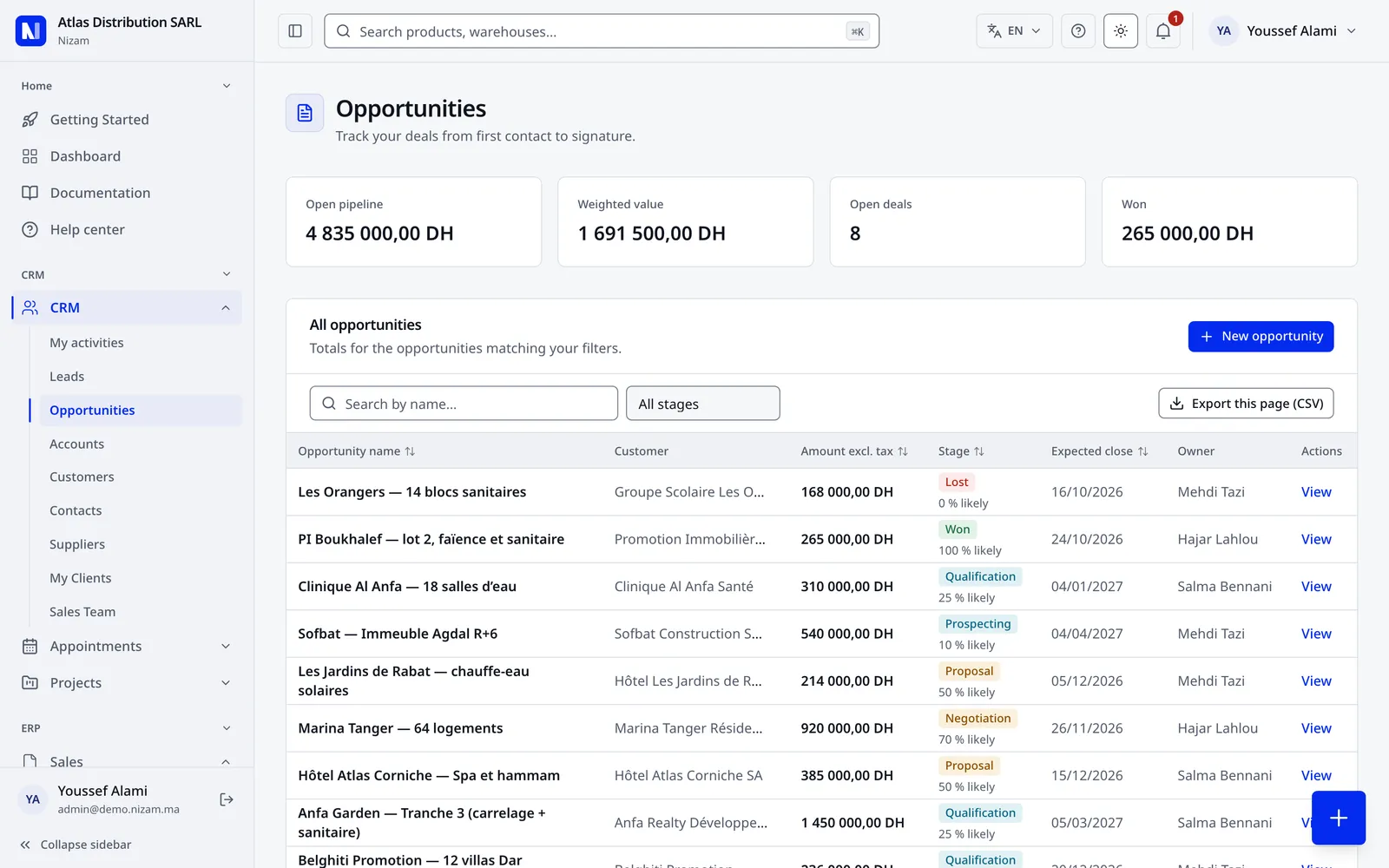
Follow leads and opportunities to the quote, then to the invoice, without switching tools. Each customer has a full history: quotes, orders, deliveries and invoices.
Demo on request · Pricing on request · Guided setup
When sales follow-up gets lost
Without a shared customer record, you forget to follow up your best customers, and the history leaves with the salesperson’s phone.
- Leads written in notebooks or Excel files
- Quotes followed up too late, or never
- A separate CRM that doesn’t know what was invoiced
- No record of a customer’s past purchases when you make them a new offer
- When a salesperson leaves, their customers and conversations leave with their phone
From first contact to invoice
- 1
Record the lead and the company
- 2
Create an opportunity and track it in the pipeline
- 3
Turn it into a quote at the customer’s prices
- 4
Get the quote approved internally if needed, then send it
- 5
Follow the order, delivery and invoice on the customer record
The whole customer history, in one place
Contact details, company, opportunities, quotes, orders, deliveries, invoices and payments: the customer record gathers everything that happened with them. Before making a new offer, you know what they bought, at what price, and what they still owe.
Customers belong to the company, not to a salesperson’s phone: when the team changes, the history stays.
What the CRM connects
Leads, opportunities, pipeline
Each salesperson’s pipeline, with every customer’s history.Quotes
Quotes at customer prices, with statuses and revisions tracked.Negotiated prices
Each customer’s framework contracts apply to their quotes.Invoices and payments
What each customer ordered, received, paid and still owes.Projects
All documents of an operation grouped by project.Roles per salesperson
Each salesperson sees their customers; the manager sees the whole team.
Standalone CRM or CRM linked to operations?
Compare with the other approaches on the Moroccan market.
Pricing
On request: our pricing depends on your modules, number of users and the support you need.
Frequently asked questions
What is Nizam?
Nizam is cloud sales-management and inventory software built in Morocco for SMEs. It connects quotes, purchase orders, delivery notes, invoices and payments, manages stock across several warehouses and supplier purchasing, and applies your negotiated prices automatically. Invoices carry the ICE, IF, RC and VAT broken down by rate. It works in French, Arabic and English.
How do I go from a quote to an invoice in Nizam?
In Nizam, an accepted quote converts into a sales order, then into a delivery note and an invoice, with no re-typing. Each document keeps the link to the previous one, prices, discounts and VAT rates are carried over, and partial deliveries or partial invoicing are possible. You can also invoice an accepted quote directly.
Can quotes be approved before they are sent?
Yes, as an option. When internal approval is switched on, a manager must approve a quote before it is sent to the customer. Any change to an approved quote sends it back to draft with a new revision number, and every step is recorded in the history.
Can my accountant access Nizam?
Yes. Invite your accounting firm by e-mail or by its ICE and choose what it sees: documents, preparation, validation, exports, read-only sales or purchases. You remove its access whenever you want, and the history stays available. Your accountant works in your file without ever using your password.
Track your sales end to end
From lead to payment in one software. Demo on request.