Accounting and tax
You run it, your firm validates
Keep your accounts yourself, or hand validation to your accounting firm (accompanied accounting). Invite your firm, choose what it sees, withdraw access whenever you want.
Demo on request · Pricing on request · Guided setup
Working with your accountant without redoing everything
Documents sent in a heap, shared logins, figures retyped in another program.
- The accountant asks for the same documents several times
- Giving access means sharing a password
- Entries are redone with no link to the original invoices
In-house or accompanied accounting
Two settings decide who validates your accounts and where your books are kept. Only the company’s owner changes them, with a reason, and every change stays in the history.
- In-house accounting: your administrators hold the accounting authority and validate
- Accompanied accounting (you run it, your firm validates): your team records documents and payments, your accounting firm validates
- Books kept in Nizam, or in your firm’s software: Nizam then records your entries and prepares the exports
« Votre comptable »: access you grant and withdraw
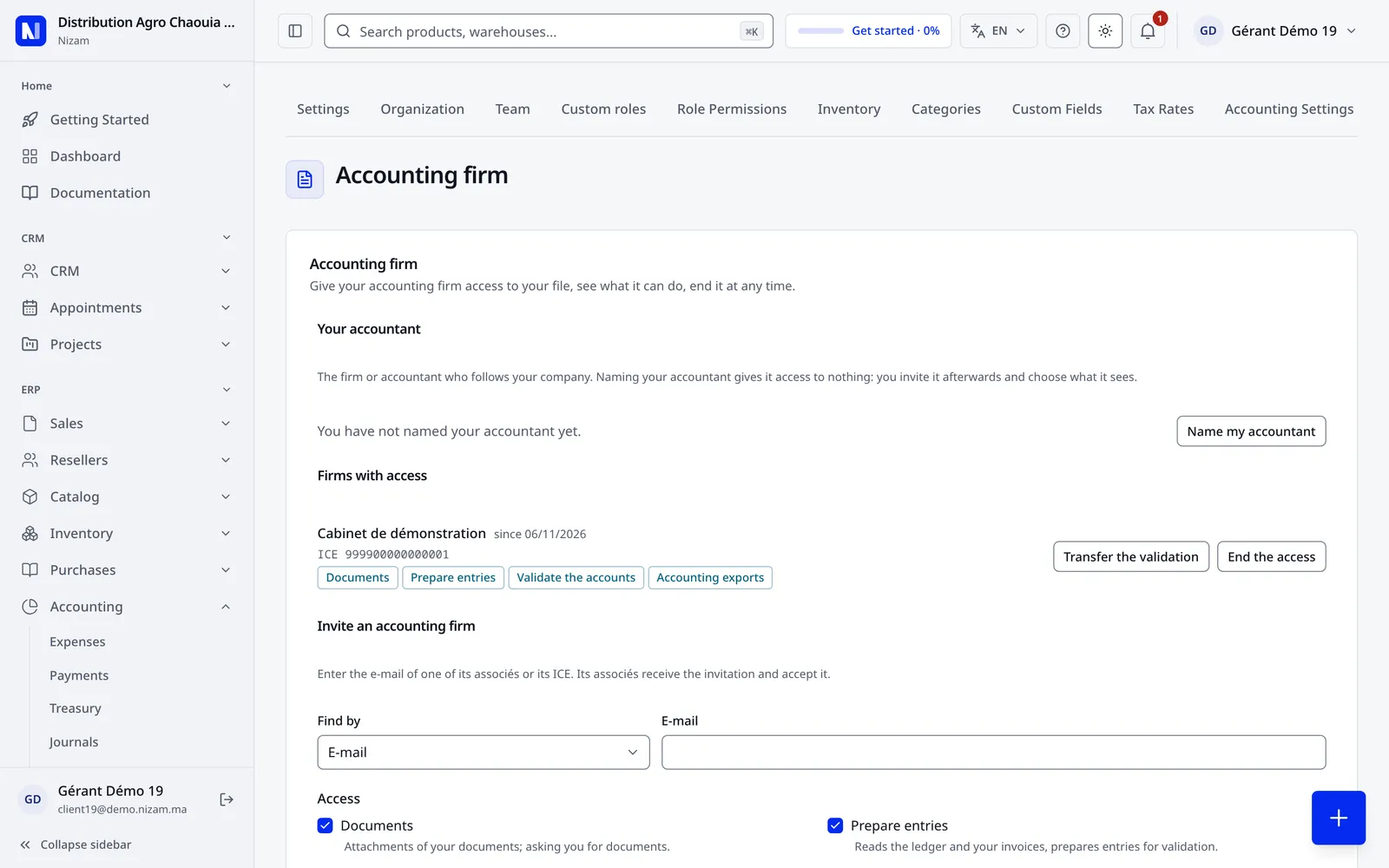
In Settings › Accounting firm, the owner invites the firm by a partner’s e-mail or by its ICE, and ticks the access granted. The firm works in your file without ever using your password; what it prepares shows on your side as « Préparée par le cabinet ».
A firm never reaches your team, roles, settings or subscription, and never deletes anything. You end access whenever you want; the history keeps every invitation, acceptance and withdrawal.
- Documents: attachments, requests for documents
- Prepare entries
- Validate the accounts: held by one firm only
- Accounting exports
- View sales or purchases, read-only
Posting proposals, validated before the general ledger
Every confirmed document and every sales or purchase document becomes a posting proposal. Your accountant (or you, with in-house accounting) validates it before the general ledger, one by one or in bulk, or returns it to its author with a comment.
A proposal only gets its piece number when it is validated. The accounting authority then locks finished periods: no entry or document dated inside them can be recorded any more.
Payroll variable inputs sent to your firm
Send your firm the month’s payroll variable inputs: days worked, overtime, bonuses, allowances and absences, employee by employee, entered or imported from an Excel template. Once submitted, the month is locked; the firm reviews it or sends it back with a comment.
If your firm runs payroll in its own software, it gets a file (a Sage Paie export to be confirmed on a real import, or CSV). If you run payroll in Nizam, the Payroll module (on activation) computes the payslips from these inputs; nothing is filed with the CNSS on your behalf.
Your firm on Nizam Cabinet
Accounting firms have their own workspace, Nizam Cabinet: your file shows there with your documents to review, your proposals and your deadlines. If your firm does not use Nizam yet, an invitation is sent only with your consent.
The screens of accompanied accounting
- app.nizam.ma/accounting/proposals
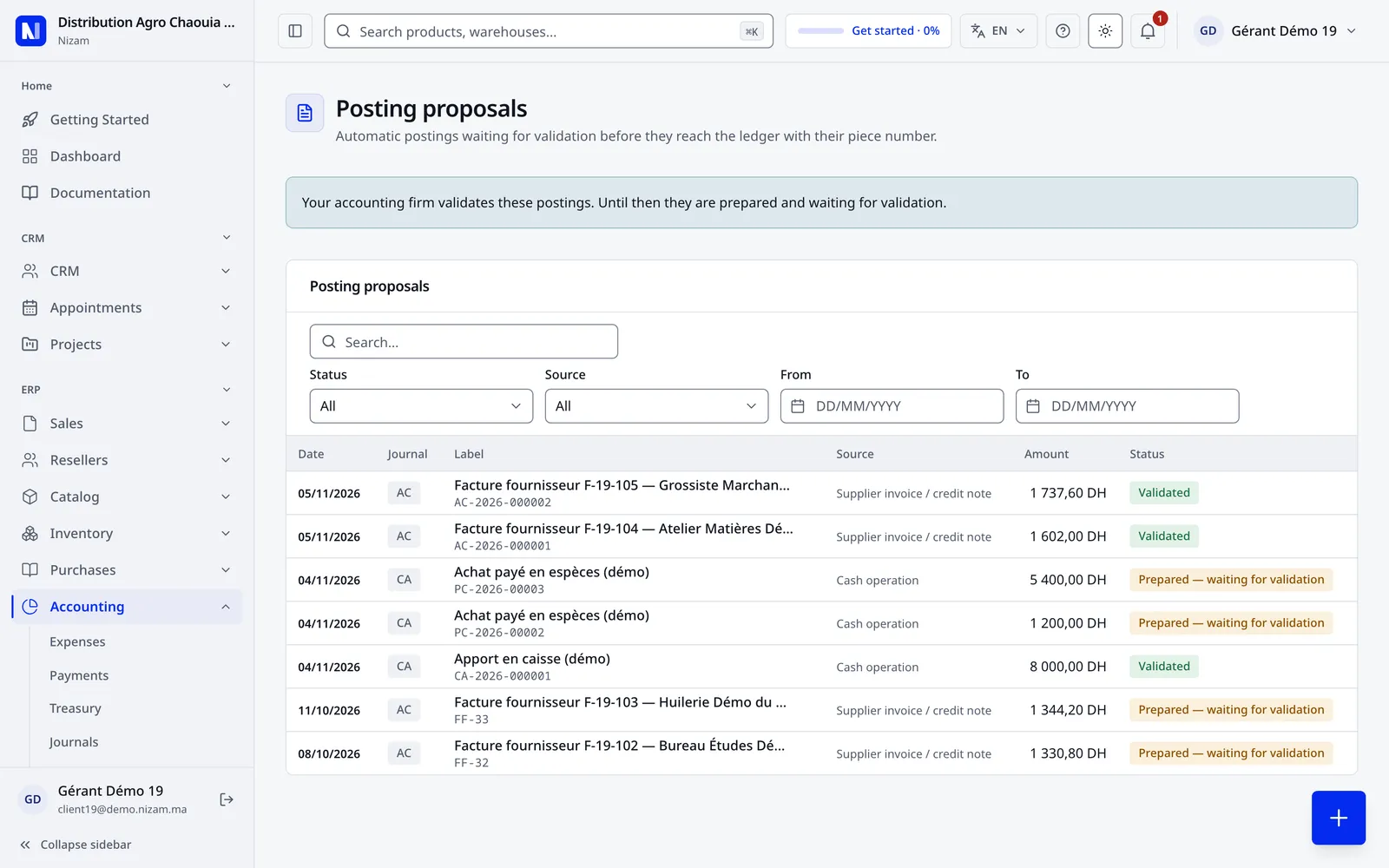
Posting proposals
Pending proposals, validated one by one or in bulk by the accounting authority.
- app.nizam.ma/accounting/payroll-input
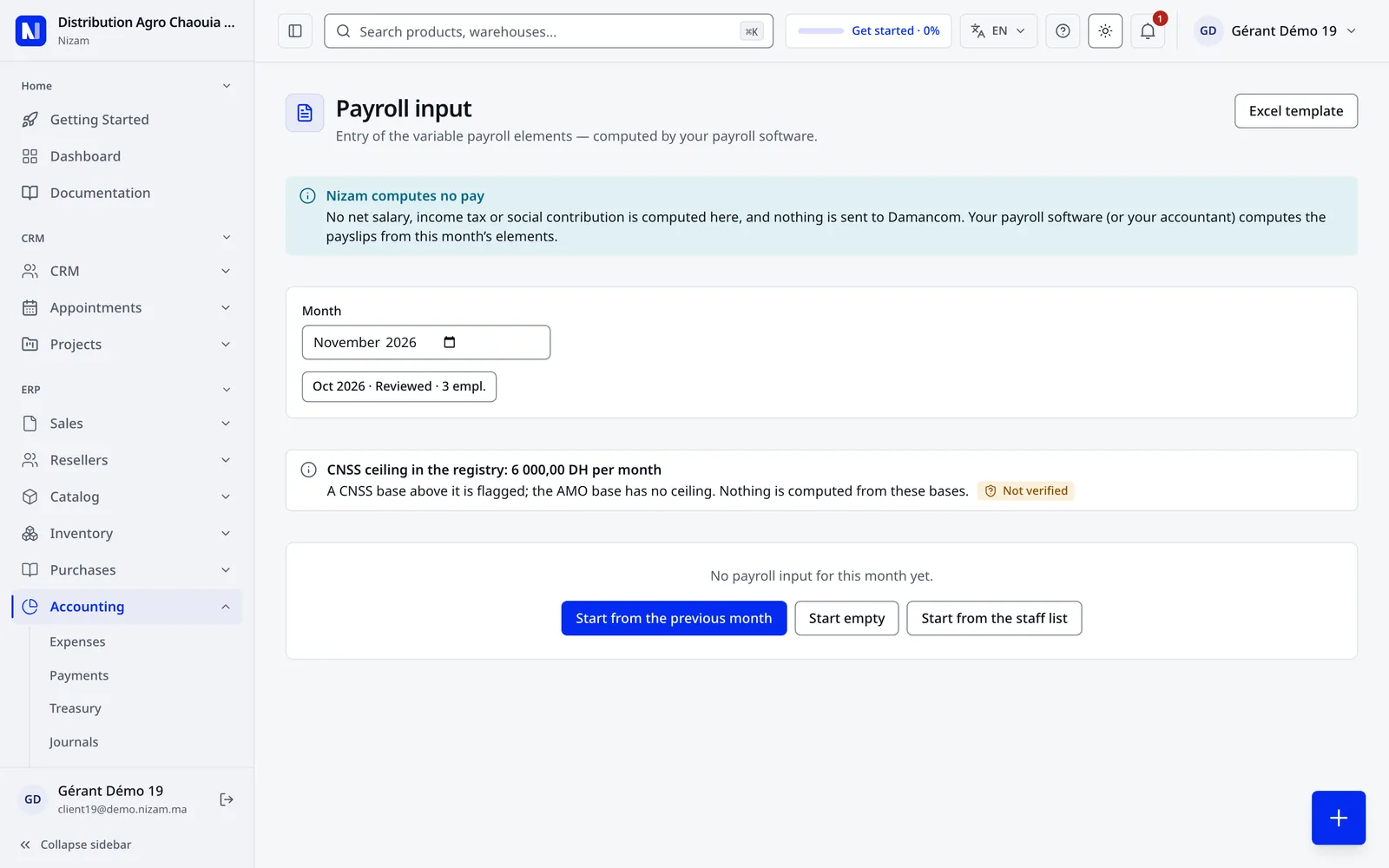
Payroll inputs
The month entered by the company, submitted, then reviewed by the firm.
Pricing
On request: our pricing depends on your modules, number of users and the support you need.
Frequently asked questions
Does Nizam replace my accountant or my accounting software?
No. Nizam runs your sales, purchasing, stock and invoices, collects your documents and prepares posting proposals. With accountant-assisted accounting, your accounting firm validates them before they reach the general ledger and receives the exports it needs. Tax returns and financial statements remain your accountant’s responsibility.
What is the difference between in-house and accompanied accounting?
With in-house accounting, your administrators validate the accounts. With accompanied accounting, your team keeps recording documents and payments, and your accounting firm validates. Only the company’s owner changes the mode.
Does my firm see all my data?
No. You choose its access: documents, preparing entries, validation, exports, read-only sales or purchases. It never reaches your team, settings or subscription, and you withdraw access whenever you want.
Does my firm have to use Nizam?
To work in your file and validate your proposals, yes: it uses the Nizam Cabinet workspace. Otherwise you keep in-house accounting and hand over exports: journals, general ledger, trial balance, the entries file and Sage 100 and Ciel import files.
Does Nizam run payroll?
Yes, with the Payroll module, on activation: payslips, payroll ledger, transfers and journal entries, with rules shown « to be validated by your accountant ». If your firm prefers to run payroll in its own software, Nizam sends it the month’s variable inputs. Either way, Nizam does not file CNSS returns.
Invite your accounting firm
Request a demo: the firm’s access, posting proposals and validation, on a demonstration file.