Feature
Supplier invoices matched with what you actually received
Supplier invoices matched with goods receipts, payments by cheque, LCN bill, transfer or cash, and a payables ageing report. You know what you owe, to whom and by when.
Demo on request · Pricing on request · Guided setup
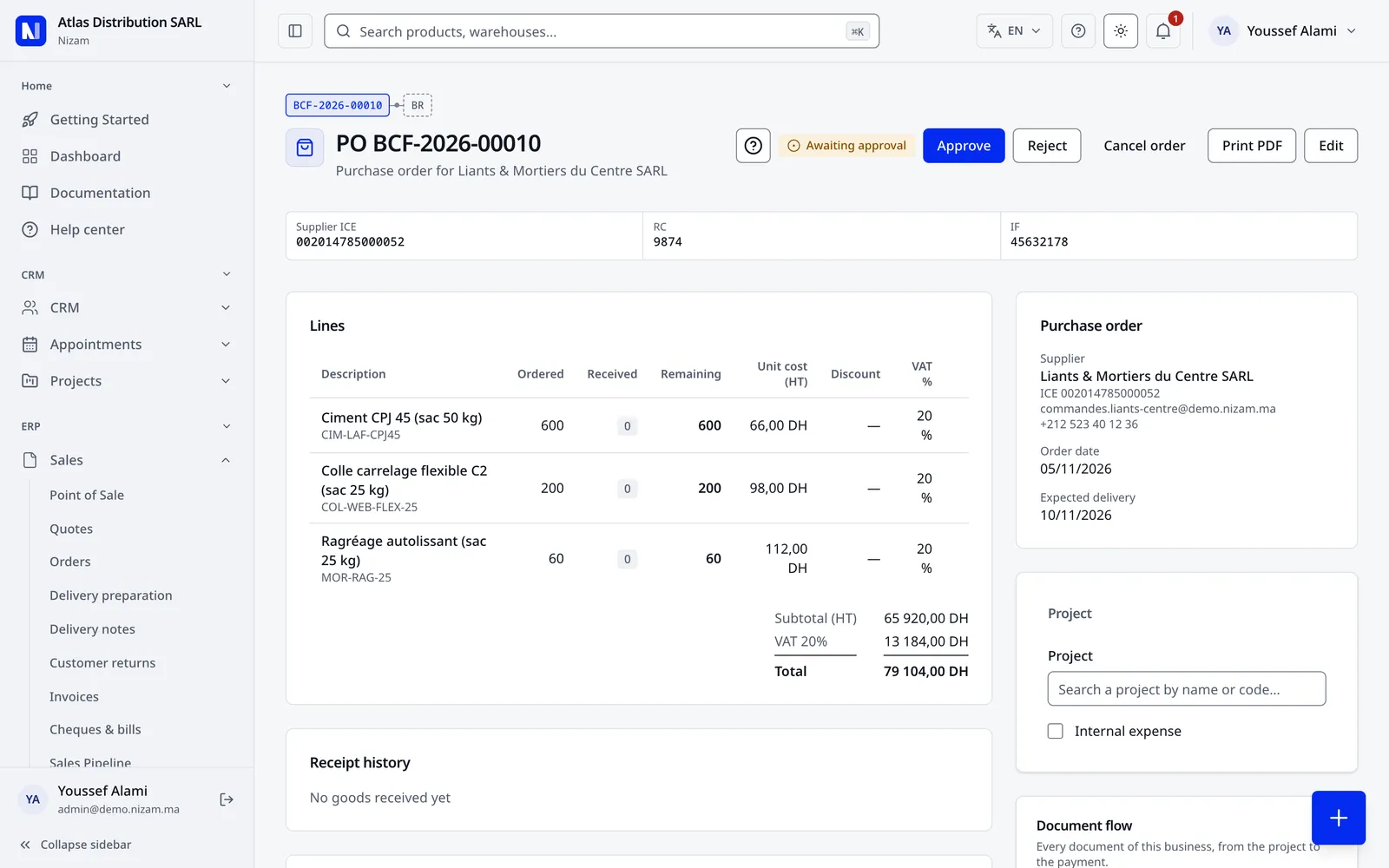
Supplier debts kept in a notebook
Invoices in a binder, cheques noted on the back of envelopes.
- An invoice paid for goods never received
- Price gaps with the purchase order found too late
- No view of what is due this week
From order to payment
- 1
You receive the goods against the supplier purchase order.
- 2
You enter the supplier’s invoice by ticking the received lines it covers.
- 3
A price gap beyond your tolerance puts the invoice « to validate ».
- 4
You pay the supplier by cheque, LCN bill, transfer or cash, allocated to its invoices.
- 5
The ageing report and supplier statement show what is still owed.
Order, receipt, invoice: the three-way match
On a received purchase order, « Saisir la facture fournisseur » (enter supplier invoice) takes the lines received and not yet invoiced. Quantities cannot exceed what was received, and the gap with the purchase order price shows on each line.
Beyond your company’s tolerance, the invoice is saved « to validate » and cannot be paid until an authorised person validates it. With no due date entered, Nizam uses the supplier’s payment terms, or else 60 days after the invoice date.
- Goods, matched with the receipt
- Landed costs
- Services and overheads: rent, maintenance, fees
- Supplier credit note
Supplier payments
A payment is entered per supplier, with its method (cheque, LCN bill, transfer, cash or other) and date, then allocated to the invoices to pay; « oldest first » does it for you. The allocation must add up to the amount paid.
The « to pay », « to validate » and « all invoices » views sort the list, with what remains due on each invoice and its due date.
Supplier returns
From the receipt history, a supplier return takes the returned goods out of stock, including quantities refused on receipt. If they were already invoiced, the supplier’s credit note is entered next.
An invoice entered by mistake, with no payment or credit note, can be cancelled: its received lines become invoiceable again.
Payables ageing and supplier statement
The payables ageing report shows what you owe, supplier by supplier and by age. The supplier statement lists invoices, credit notes and payments, to compare with the one your supplier sends you.
Linked to your accounts
With accounting, supplier invoices and payments become posting proposals to validate. They feed VAT preparation, cash payment controls and the preparation of the payment-terms statement (law 69-21).
Pricing
On request: our pricing depends on your modules, number of users and the support you need.
Frequently asked questions
How do supplier purchases and receipts work?
You create a supplier purchase order, optionally subject to approval, then record one or several receipts. Each receipt updates the stock of the chosen warehouse, flags differences and refuses an unauthorised over-receipt. The order moves automatically to “partially received” or “received”.
Can I pay an invoice whose prices differ from the purchase order?
Not before validation. Beyond your company’s tolerance, the invoice is « to validate »; an authorised person validates it, then it can be paid.
Which supplier payment methods are tracked?
Cheque, LCN bill, transfer, cash or other. A payment is allocated to one or more invoices of the same supplier, oldest first if you wish.
How do I record a return of goods?
From the purchase order’s receipt history, with « supplier return »: the goods leave stock. If they were already invoiced, then enter the supplier’s credit note.
Which due date applies if the invoice has none?
The payment terms recorded for the supplier, or else 60 days after the invoice date. You can enter the actual due date at any time.
Know what you owe your suppliers
Request a demo of the order, receipt, invoice and payment flow.