Feature
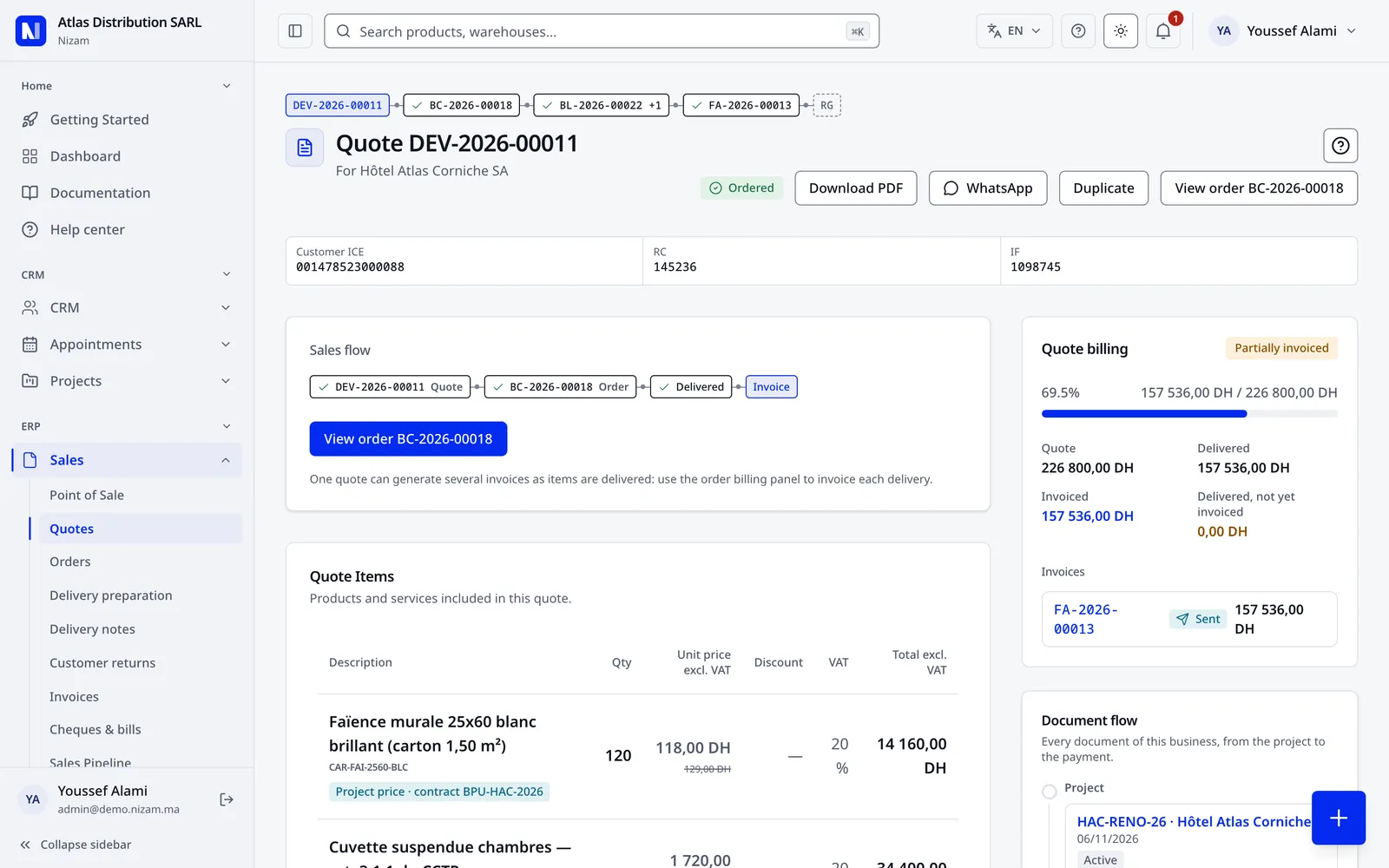
Accurate quotes, converted to an order or invoice in one click
Each quote uses the customer’s negotiated prices, takes a discount per line and becomes an order, a delivery note and an invoice with no re-typing.
Demo on request · Pricing on request · Guided setup
Hand-made quotes slow down the sale
- A Word or Excel quote rebuilt for every customer
- A discount forgotten, or granted twice
- An accepted quote that has to be retyped as an order, then as an invoice
The right price on every line
When you pick a customer, their negotiated prices apply: framework contract, project or category prices. Each line takes a discount as a percentage or an amount.
Nizam computes the total excl. VAT, VAT by rate and the total incl. VAT to the centime, and keeps each line’s name, price and VAT for the record.
Clear tracking of every quote
Each quote has a status: draft, sent, accepted, rejected, expired, then ordered. The revision number and the audit log are kept.
- Internal approval by a manager before sending (on activation)
- Editing an approved quote sends it back to draft with a new revision
- Continuous yearly numbering of quotes
Sending and conversion
The quote is sent as a PDF with your logo, by email, from the document. Sending by WhatsApp works once you connect your WhatsApp Business account.
Once accepted, the quote converts to an order (stock is reserved) or straight to an invoice.
From accepted quote to delivery note or invoice in one click
On activation, an accepted quote offers « Deliver the quote » (order and delivery note, goods leave the stock) and « Invoice the quote » (order, delivery note and draft invoice) in a single operation, with the same checks as step by step.
A quote can also start from a CRM opportunity: it keeps the link, and accepting it marks the opportunity as won.
Every version sent stays available
On activation, each time a quote goes out with different content, Nizam keeps a read-only version: lines, totals, customer and PDF. You find on the quote what the customer received each time.
Pricing
On request: our pricing depends on your modules, number of users and the support you need.
Frequently asked questions
How do I go from a quote to an invoice in Nizam?
In Nizam, an accepted quote converts into a sales order, then into a delivery note and an invoice, with no re-typing. Each document keeps the link to the previous one, prices, discounts and VAT rates are carried over, and partial deliveries or partial invoicing are possible. You can also invoice an accepted quote directly.
Can I add a discount per line on a quote?
Yes. Every line of a quote, order, delivery note or invoice accepts a discount as a percentage or an amount. Nizam recalculates the total excluding VAT, the VAT and the total including VAT on the server, to the centime, and keeps the original catalogue price for the record.
Can quotes be approved before they are sent?
Yes, as an option. When internal approval is switched on, a manager must approve a quote before it is sent to the customer. Any change to an approved quote sends it back to draft with a new revision number, and every step is recorded in the history.
Create your first quote with Nizam
Import your catalogue from Excel, then send a quote in minutes.