Feature
Your key figures, drawn from your real operations
Receivables by age, output and input VAT, stock valued at weighted average cost, inventory and project margin: every report starts from the quotes, invoices, purchases and stock movements recorded in Nizam.
Demo on request · Pricing on request · Guided setup
The figures arrive too late
Excel exports pasted together by hand at month end.
- Nobody knows exactly which customer owes what, or since when
- Stock value is only rebuilt once a year, at the stock count
- A job’s margin is worked out afterwards, when it is too late to correct
Dashboards to act on
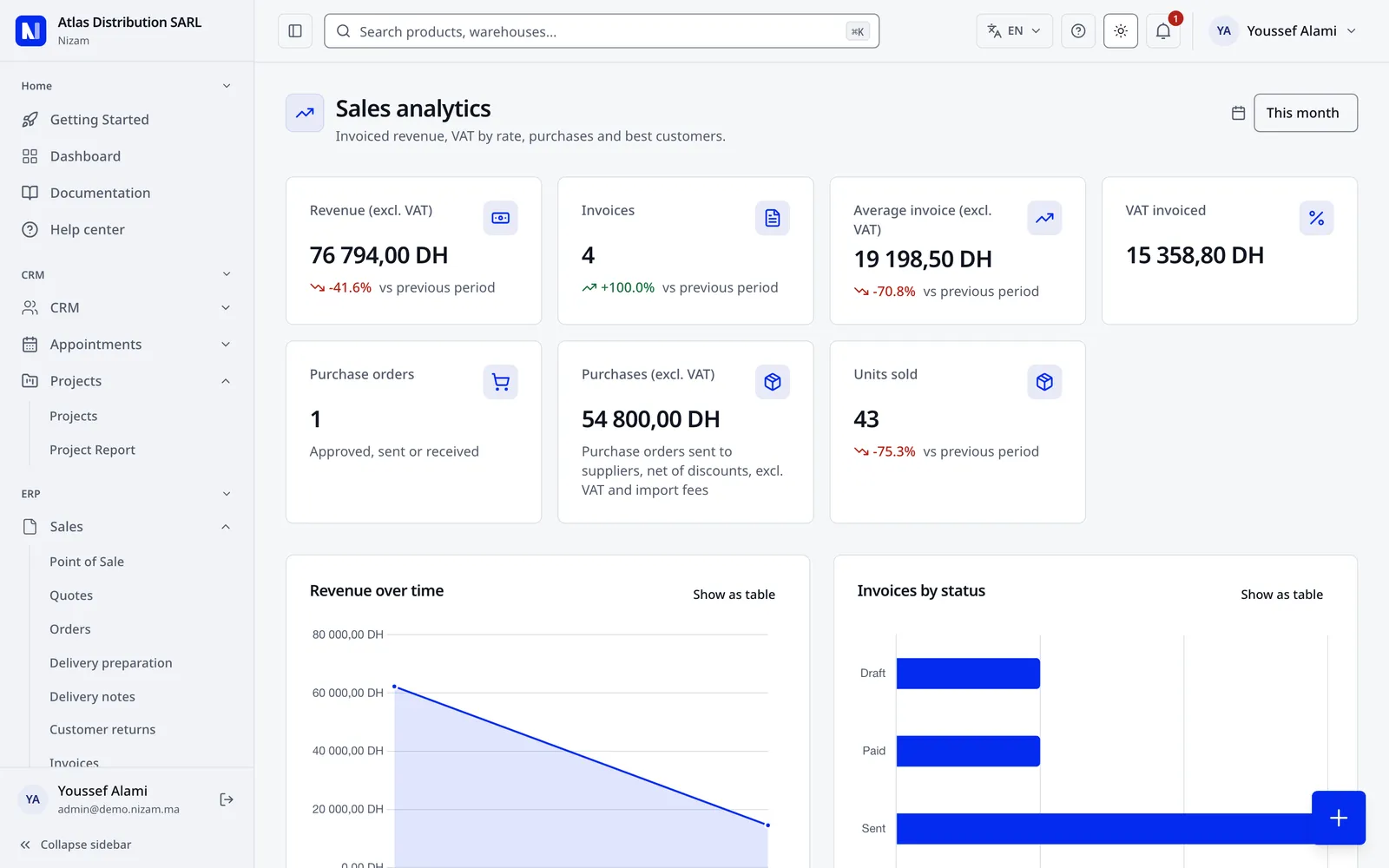
The home dashboard lists what needs action: open quotes or accepted quotes to convert, orders to deliver, purchases to receive, overdue invoices, items low on stock or out of stock.
The stock dashboard shows stock value and its split by warehouse, low-stock items, items with no movement and how moved quantities change over time.
The analytics module, included by default, adds sales and CRM dashboards, plus the financial position per customer and per supplier.
Customer receivables ageing (law 69-21)
The ageing report shows, customer by customer, what remains unpaid on issued invoices, net of credit notes, split by age: not yet due, 1 to 30 days, 31 to 60, 61 to 90 and more than 90 days overdue.
Lateness is counted from the invoice due date; when none was agreed, Nizam uses 60 days after the invoice date, the default term under law 69-21. Click a customer to see their unpaid invoices.
VAT summary
For a given period, the report shows output VAT and input VAT, grouped by the rates actually used (20%, 10%, exempt). You choose the basis: issued invoices (accrual) or payments received.
It prepares your return; the return itself is filed on the DGI portal, usually by your accountant.
Stock valuation and inventory
Value your stock at any date, at weighted average unit cost (CMUP), item by item and warehouse by warehouse. The weighted average cost is updated on every supplier receipt, landed costs included.
The inventory report shows quantities by item and by warehouse, to prepare your stock counts.
Margin by project
For each project or job, the report sets the linked sales, purchases and expenses side by side over a period and works out the margin. Amounts not linked to a project are shown separately.
Exports for your accountant
Every report can be shared without retyping:
- Receivables ageing and project margin: CSV export
- VAT summary: CSV or PDF export
- Stock valuation and inventory: Excel export
- Filtered lists saved as views and shared with the team
Built for a Moroccan SME
The reports follow the rules you already apply:
- 2026 VAT: 20%, 10% and exempt, grouped by the rates actually used
- Default 60-day term (law 69-21) in the ageing report
- Amounts in dirhams (DH), exact to the centime
- VAT summary on issued invoices or on payments received
Pricing
On request: our pricing depends on your modules, number of users and the support you need.
Frequently asked questions
Does Nizam generate the SIMPL VAT return?
Nizam prepares; it files nothing. It prepares the VAT return (by rate, according to your regime, deduction in the month of payment, reverse charge) and, on activation, the deductions statement and the tax return package to be filed on SIMPL, to be validated by your accountant. The formats are still to be confirmed; your accountant checks the files and figures, then files the return on SIMPL.
Which reports does Nizam provide?
Nizam provides reports including: customer receivables ageing, payables ageing, VAT summary, stock valuation at a date, inventory report and margin by project; the accounting module adds its statements (general ledger, trial balance, income statement, balance sheet). On top of these come the home dashboard, which lists the actions to take, the stock dashboard, and the sales, CRM, customer finance and supplier finance dashboards. They are included without activation.
How does Nizam value stock?
At weighted average unit cost (CMUP). Nizam recalculates each item’s weighted average cost on every supplier receipt, landed costs included, and can value stock at any date, by item and by warehouse. The report exports to Excel.
What is a receivables ageing report?
It is the list of what your customers owe you, sorted by how late it is: not yet due, 1 to 30 days, 31 to 60, 61 to 90 and over 90 days. In Nizam, an invoice with no agreed due date is due 60 days after its date, under law 69-21.
Can Nizam reports be exported to Excel?
Yes. Stock valuation and inventory export straight to Excel; receivables ageing, project margin and the VAT summary export to CSV, which opens in Excel. The VAT summary is also available as a PDF.
Steer with your own figures
Book a demo on data close to yours.