Module on activation
A calendar that refuses double bookings
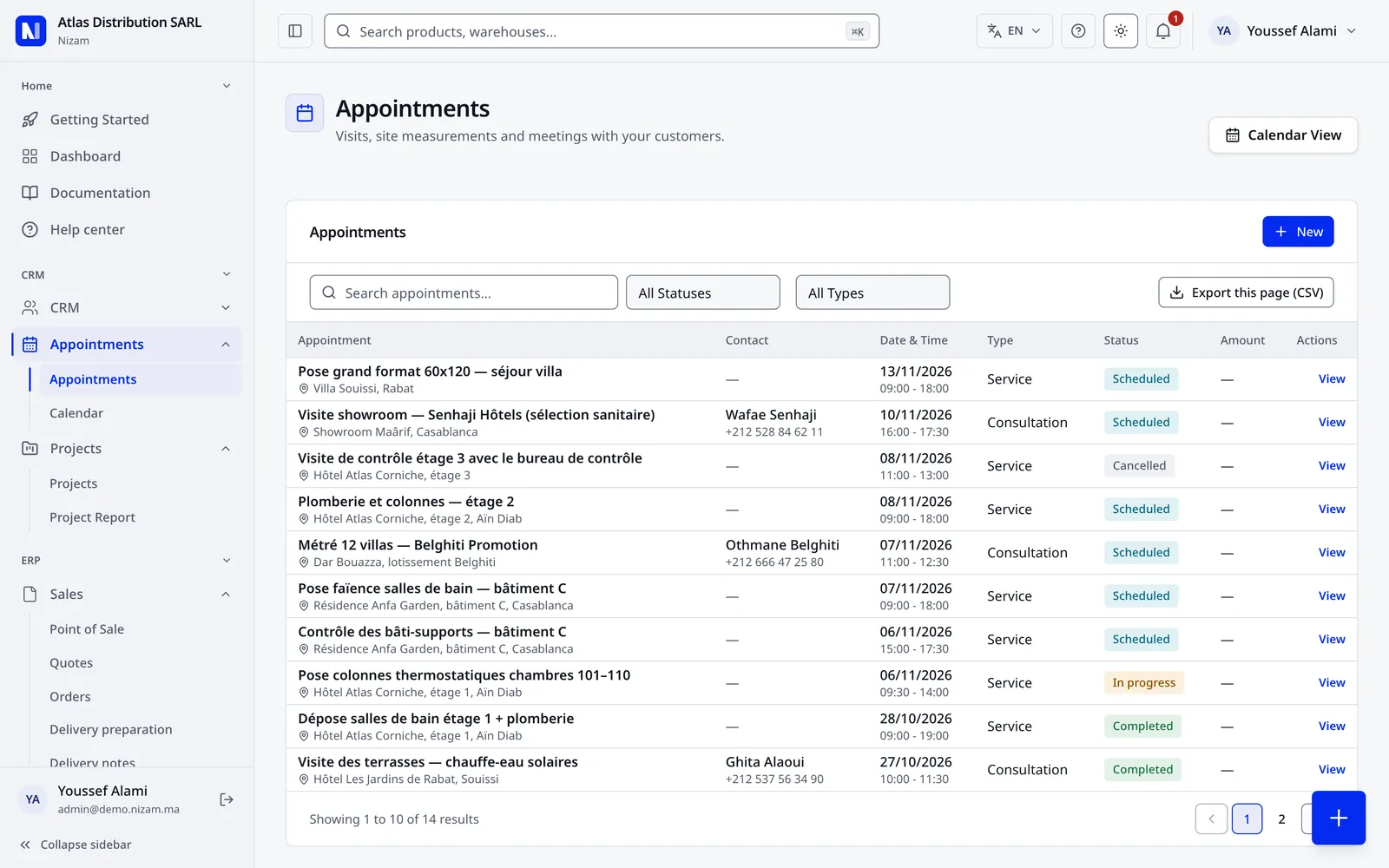
For service businesses: each appointment is tied to a staff member, a room and services from your catalogue. Nizam checks the slot before saving it, then you invoice the appointment without retyping. Module switched on on request.
Demo on request · Pricing on request · Guided setup
When the calendar lives in a notebook
A notebook at the front desk, WhatsApp messages and phone calls: the schedule is rebuilt from memory.
- Two customers booked at the same time with the same person
- A treatment room already taken, found out at the last minute
- Appointments booked outside the team’s working hours
- Services delivered but never invoiced
- No clear view of each staff member’s day
An appointment in Nizam
- 1
Pick the customer, the service, the staff member and the room
- 2
Nizam checks that the staff member and the room are free
- 3
The appointment shows in the team calendar
- 4
After the service, create the invoice from the appointment
Slots that are checked, not just displayed
Before saving an appointment, Nizam checks that the staff member has no overlapping appointment and that the room is not full. A slot already taken is refused with the reason: staff member busy or room full.
For an online or messaging booking, Nizam also checks that the slot falls within the staff member’s working hours and is not already past. From the calendar, your team can enter a past or out-of-hours appointment, for example to record one taken by phone, but never a double booking.
The check happens when the appointment is saved: two simultaneous bookings of the same slot cannot both succeed.
Your team and your rooms
Each staff member has working hours and a personal workspace with their appointments. Rooms, cabins or stations have a capacity, so several customers can share a room when that is planned.
Hours and slots follow your company’s time zone.
From appointment to invoice
The appointment’s services come from your catalogue, with their price and VAT rate. The invoice created from the appointment carries those lines, in dirhams, with your legal identifiers (ICE, IF, RC) and your continuous invoice numbering.
Customer reminders and today’s view
The customer gets an e-mail reminder 24 hours before the appointment (and 1 hour before if you wish), with the date, time, service and how to cancel or reschedule. On activation, the reminder also goes out by SMS, within your company’s monthly SMS quota; the customer can opt out.
On activation, today’s view shows on one screen the day’s appointments, the staff who are available, busy or away, and the free rooms.
What the module includes
The Appointments, Staff and Rooms modules are switched on on request for your company.
CalendarOn activation
Calendar view of the company’s appointments, by day and by staff member.Staff working hoursOn activation
Working hours for each staff member, used to offer and check slots.Rooms and capacityOn activation
Cabins, rooms or stations with their capacity; a full room refuses the next appointment.Online bookingOn activation
Your customers book a service on a free slot from your Nizam online shop.Invoice the appointment
Delivered services become a numbered invoice, with VAT per rate.Booking through messagingOn activation
With your Meta account connected, an assistant can offer slots on WhatsApp, Instagram or Messenger.
Pricing
On request: our pricing depends on your modules, number of users and the support you need.
Frequently asked questions
Does Nizam work in Arabic?
Yes. The Nizam interface is available in Arabic (right to left), French and English, and each user picks their language. Amounts are shown in dirhams in the Moroccan format, for example 1 234,50 DH. This helps when the manager works in French and the warehouse team prefers Arabic.
Does Nizam prevent double bookings?
Yes. Nizam refuses an appointment when the staff member already has an overlapping appointment or the room has reached its capacity, whether it is entered in the calendar or booked online. An online or messaging booking is also refused outside working hours or for a slot already past. The check runs when the appointment is saved, including for two bookings made at the same moment.
Can my customers book online?
Yes, if the Nizam online shop is switched on for your company. The customer picks a service and a free slot on your shop, and the appointment lands in your calendar. They then find their bookings in their customer area.
Does Nizam send appointment reminders by SMS?
Yes, on activation: the SMS reminder goes out 24 hours before (and 1 hour before as an option), within your company’s monthly SMS quota; the customer can opt out. The e-mail reminder works the same way. You can also write to your customers on WhatsApp, Instagram or Messenger from Nizam once you connect your Meta account.
Is the appointments module included by default?
No. The Appointments, Staff and Rooms modules are switched on on request, company by company. We switch them on when we set up your account if your business runs on appointments.
Can I invoice an appointment directly?
Yes. Once the service is delivered, you create the invoice from the appointment: it carries the services, their price and VAT rate, and gets the next number in your invoice series.
Does your business run on appointments?
We switch on the calendar, staff and rooms when we set up your account.